
NOTE: We now offer a service to register the insurance on your behalf, especially useful if you don’t have the Chave Móvel Digital: click here!
The Alojamento Local insurance is a civil liability insurance, specifically for AL’s, with specific conditions defined by law. It has been mandatory for years, but the law passed last October (Decreto-Lei n.º 76/2024, de 23 de outubro) implemented a requirement to register this insurance as proof that the AL is active. Despite this requirement since October 2024, the platform to allow AL owners to do this has only been available in the last few days.
A quick reminder: ALEP includes this obligatory AL insurance for free in their yearly quota.
The information available in the publically available RNAL database now includes some new fields for the AL insurance information, and if no insurance is shown here, the municipalities can now ask the AL owner to prove within a period of just 3 days that such insurance exists. If the owner can not provide this proof, the municipality has the power to cancel the AL registration. The municipalities have been asked to honour a transition period until the end of April 2025, before they start requesting the insurance information.
In order to register the insurance, go to this page:
https://www.gov.pt/servicos/enviar-comprovativo-de-seguro-do-alojamento-local
You will need the Chave Móvel Digital, or give someone a Power of Attorney to do it for you.
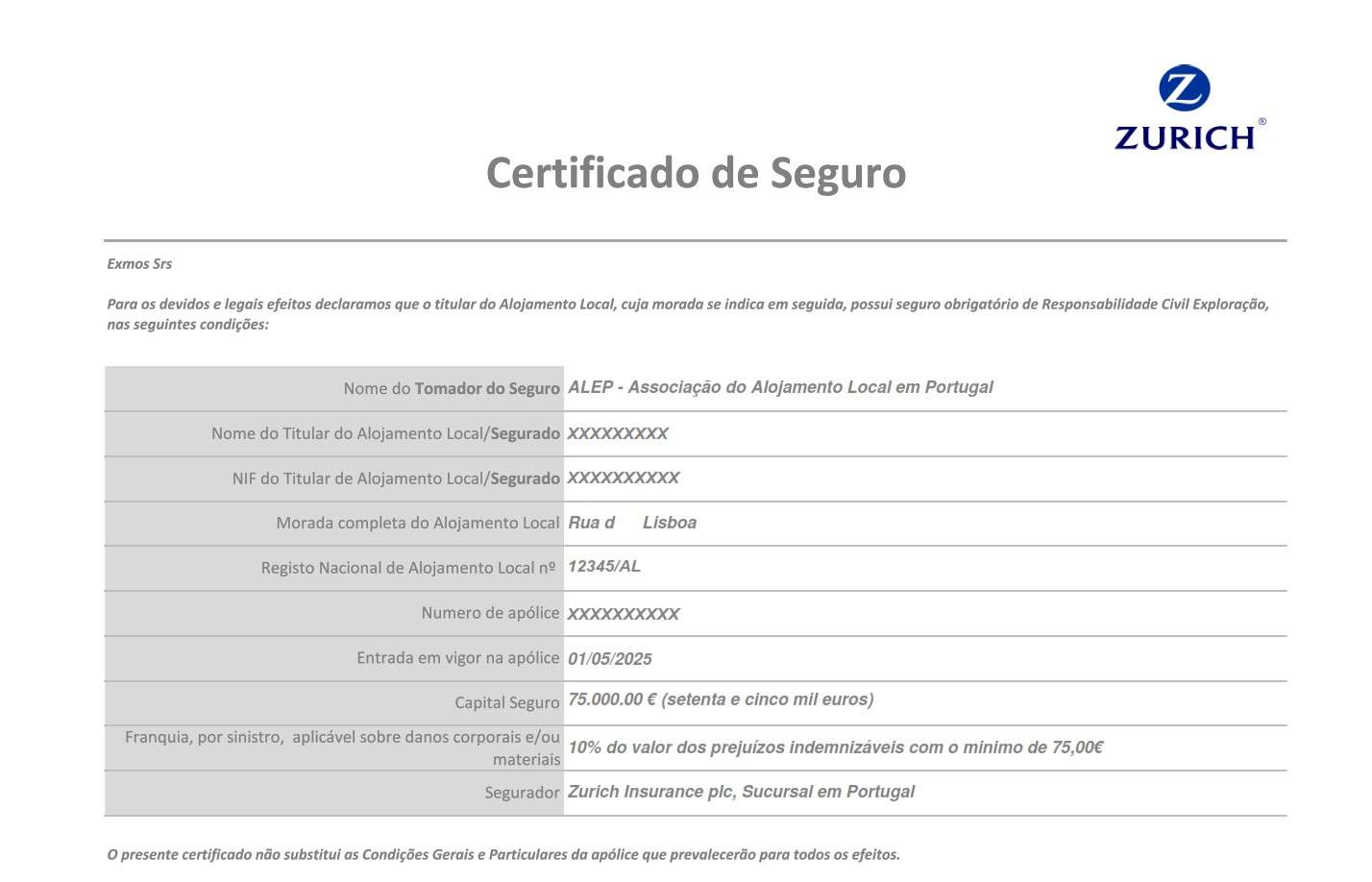
You will need your AL number, the insurance company name, the policy number, and the validity of the insurance (start and end dates). For those with insurance from ALEP, all of this info is easily obtained from the insurance certificate they send you. Complete the remaining steps to confirm, and you will receive an email confirmation. You should then be able to see the AL insurance details in the RNAL database. Full instructions follow:
After clicking on the above link, you will see the option below. Click on the Entregar comprovativo button:

You will then see the following options. Click on the arrow below Chave Móvel Digital, to select Cidadão Estrangeiro, if you are not a Portuguese citizen, and then Iniciar sessão:

You will be asked to start the Chave Móvel Digital authentication. In this example, we are using the mobile phone method:

On the next page, click the AUTORIZAR button, and then you will see the screen below, where you have to specify your mobile phone number, and your Chave Móvel Digital PIN number. After doing this, click AUTENTICAR

A code is sent to your mobile phone, which you have to enter on this screen, and then press CONFIRMAR:

You then have to put in your AL registration number, in the format 12345/AL:

The details of the AL are presented on screen, and you click CONFIRMAR. You should then see a screen with your name. If not, you enter the name in the first field, and then select Próprio for the second field, unless you are representing someone else. Specify your email address and tel. number, and then click CONFIRMAR:

The next screen will show all the details of the AL property. Make sure all details are correct and then click CONTINUAR, after which you will see a screen to enter the insurance details (below). Enter the Insurance company name (Zurich, for ALEP insurance), the policy number (e.g. 00123456 – 12345/AL), and the start and end dates of the policy. Click the Choose File button to select the insurance certificate and the CARREGAR DOCUMENTO to upload it, after which you should see the PDF symbol and the file name on screen. If your AL is located in a condominium building with other units, choose Sim for the last field, or Não if it’s a house. The Sim option will notify you of the legal requirement to possess fire insurance, but this doesn’t have to be uploaded. Click Continuar

You then have to confirm that all details are correct on the next screen, and then click Continuar again:

The next screen will present all the information you have entered, which you can change with the Alterar buttons if not correct, and you can use the Ver formulário button to download a receipt of the declaration. Once certain that everything is correct, click Continuar, after which you should see a summary of the process (take note of the process number if you wish). Now click Confirmar processo, and then the FINALIZAR button. You can then close the browser window if you wish.
ALEP has also implemented an insurance administration platform for members. On this platform you can see the insurance policies you have, and download the certificate if necessary.To obtain the ALEP insurance, follow these steps:
To request another insurance for your second Alojamento Local (AL), you need to follow these steps:
If you encounter any issues or need further assistance, you can contact ALEP at info.associados@alep.pt.